
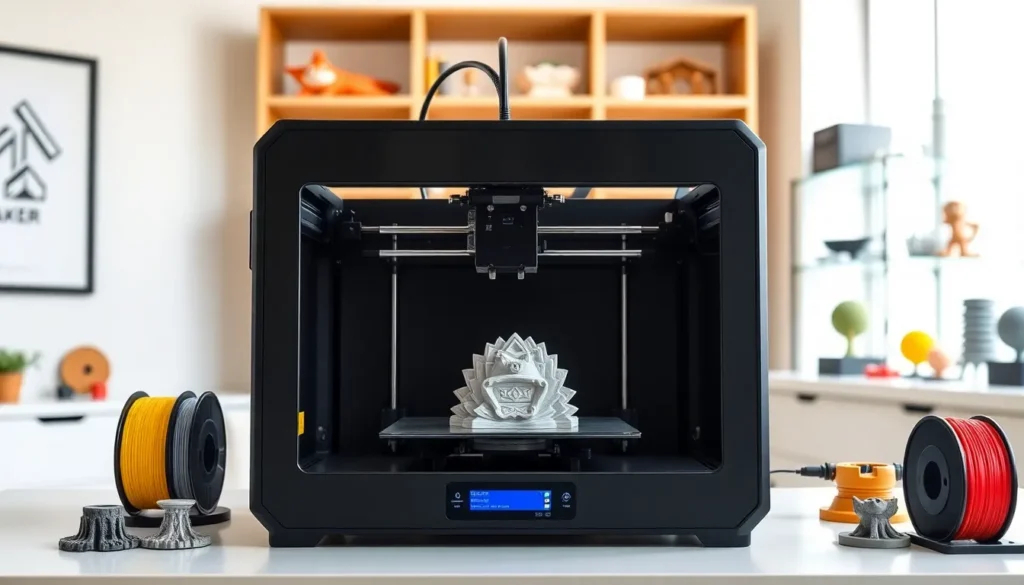

Finding the best 3D printing setup depends on skill level, budget, and intended use. Whether someone wants to print custom parts at home or produce professional prototypes, the right printer makes all the difference. The 3D printing market has grown significantly, with options ranging from affordable entry-level machines to high-end professional systems.
This guide covers the main types of 3D printers, top models worth considering in 2025, essential features to evaluate, and practical tips for achieving quality results. By the end, readers will have a clear picture of what to look for and how to get started with confidence.
Table of Contents
ToggleKey Takeaways
- The best 3D printing setup depends on your skill level, budget, and whether you need speed, detail, or large build volume.
- FDM printers are ideal for beginners and general use, while resin printers deliver superior detail for miniatures and precision projects.
- Top 2025 picks include the Creality Ender-3 V3 SE for budget users, Bambu Lab P1S for mid-range speed, and Elegoo Saturn 4 Ultra for resin printing.
- Prioritize features like auto bed leveling, adequate build volume, and connectivity options to match your specific printing needs.
- Achieve the best 3D printing results by optimizing slicer settings, controlling your environment, and performing regular printer maintenance.
Types of 3D Printers and Their Best Uses
Three main 3D printing technologies dominate the consumer and professional markets today. Each serves different purposes and skill levels.
FDM (Fused Deposition Modeling)
FDM printers melt plastic filament and deposit it layer by layer. They’re the most common type for home users and hobbyists. FDM machines handle materials like PLA, ABS, PETG, and TPU. They work well for functional parts, prototypes, and decorative objects.
Pros: Low cost, easy to use, wide material selection.
Cons: Visible layer lines, slower print speeds.
Resin (SLA/MSLA)
Resin printers use UV light to cure liquid resin into solid objects. They produce extremely detailed prints with smooth surfaces. This technology suits miniatures, jewelry, dental models, and anything requiring fine detail.
Pros: High detail, smooth finish.
Cons: Post-processing required, messy cleanup, limited build volume.
SLS (Selective Laser Sintering)
SLS printers use lasers to fuse powdered materials like nylon. These machines are typically industrial-grade and produce strong, functional parts. Most hobbyists won’t need SLS, but engineers and manufacturers rely on it for production-quality components.
For the best 3D printing experience at home, FDM and resin printers remain the top choices. FDM suits beginners and general use, while resin serves users who need precision.
Top 3D Printers Worth Considering in 2025
The best 3D printing options in 2025 balance price, reliability, and features. Here are standout models across different categories.
Best Budget FDM: Creality Ender-3 V3 SE
The Ender-3 series continues to deliver value. The V3 SE offers auto bed leveling, a direct drive extruder, and solid print quality under $250. It’s an excellent starting point for beginners who want reliable results without a steep learning curve.
Best Mid-Range FDM: Bambu Lab P1S
Bambu Lab changed expectations for mid-range printers. The P1S prints fast, up to 500mm/s, and includes an enclosed chamber for temperature control. Users get consistent results with minimal calibration. It costs around $700 but delivers performance that rivals machines twice its price.
Best High-End FDM: Prusa MK4S
Prusa’s MK4S remains a favorite among enthusiasts. It offers exceptional reliability, open-source firmware, and excellent customer support. At roughly $1,100 assembled, it’s an investment that pays off through years of dependable use.
Best Resin Printer: Elegoo Saturn 4 Ultra
For resin printing, the Saturn 4 Ultra delivers a large 10-inch build plate and 12K resolution. Print speeds reach 150mm per hour. Hobbyists and professionals alike appreciate its detail quality and reasonable $500 price point.
These models represent the best 3D printing value at their respective price points. Each has earned strong reviews and user trust.
Essential Features to Look for When Choosing a 3D Printer
Picking the best 3D printing machine requires evaluating several key features. Not every printer needs every feature, but understanding them helps buyers make smart decisions.
Build Volume
Build volume determines how large an object can be printed. Beginners often start with 220x220x250mm, which handles most projects. Larger volumes suit users who print big parts or want to batch multiple objects.
Print Speed
Modern printers vary dramatically in speed. Entry-level machines print around 60-100mm/s, while high-speed models like Bambu Lab printers exceed 500mm/s. Faster speeds save time, especially for frequent users.
Auto Bed Leveling
Manual bed leveling frustrates many beginners. Auto bed leveling sensors probe the print surface and compensate for any unevenness. This feature prevents failed prints and reduces setup time. Most quality printers now include it.
Connectivity Options
Wi-Fi connectivity allows users to send files remotely and monitor prints through apps or web interfaces. Some printers include cameras for real-time viewing. SD card slots and USB ports remain useful backups.
Enclosure
Enclosed printers maintain consistent temperatures, which helps when printing materials like ABS or ASA. Enclosures also reduce noise and contain fumes. Users printing in shared spaces often prefer enclosed machines.
The best 3D printing setup matches these features to the user’s specific needs. Someone printing small figurines doesn’t need a massive build volume. A busy workshop might prioritize speed over cost.
Tips for Getting the Best 3D Printing Results
Even the best 3D printing hardware can produce poor results without proper technique. These tips help users maximize print quality.
Level the Bed Correctly
Proper bed leveling ensures the first layer adheres evenly. Even printers with auto-leveling benefit from occasional manual checks. A piece of paper should drag slightly between the nozzle and bed at the correct height.
Choose the Right Filament
Different materials suit different purposes. PLA prints easily and works for most projects. PETG offers more strength and flexibility. ABS handles higher temperatures but requires ventilation. Match the material to the application.
Optimize Slicer Settings
Slicer software converts 3D models into printer instructions. Key settings include layer height (smaller = finer detail), infill percentage (higher = stronger), and print speed (slower often means cleaner). Experiment with these values to find what works best.
Control Temperature and Environment
Drafts and temperature swings cause warping and layer separation. Printing in a stable environment, or using an enclosure, improves consistency. Each filament type has ideal temperature ranges for both nozzle and bed.
Maintain the Printer
Regular maintenance extends printer life and improves output. Clean the bed surface, lubricate rails, and check belt tension monthly. Replace worn nozzles before they cause extrusion problems.
Start Simple
New users should print test models before attempting complex projects. Calibration cubes and benchy boats reveal issues with settings or hardware. Fix problems on simple prints before moving to larger ones.
Applying these practices leads to the best 3D printing outcomes. Small adjustments often make the difference between a failed print and a successful one.


