
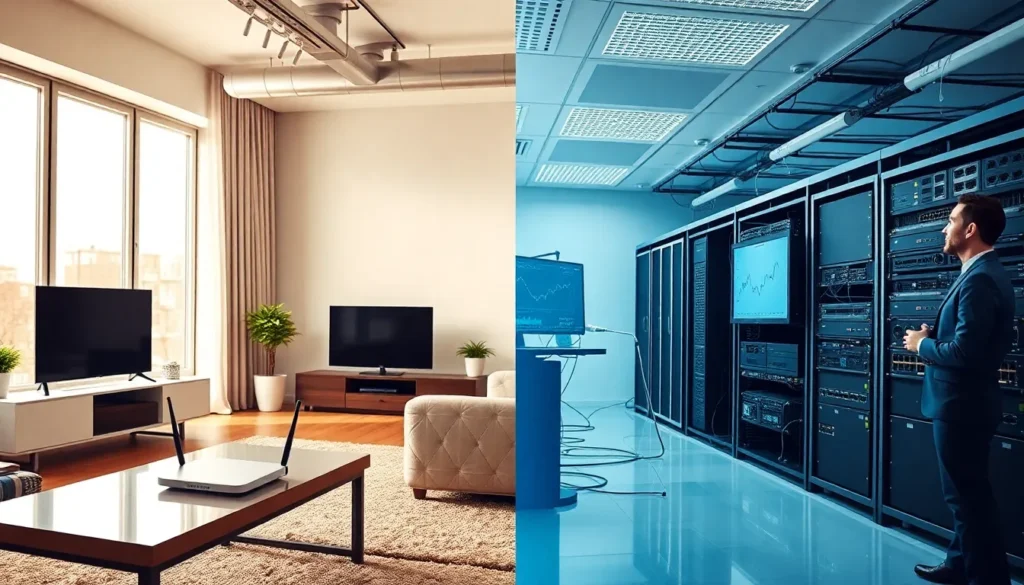

Home networking vs professional network setup, it’s a decision that affects everything from daily internet browsing to business operations. Choosing the wrong option can mean slow speeds, security gaps, or wasted money on features that go unused. This guide breaks down the core differences between home networking and professional setups. It covers what each type offers, who they serve best, and how to pick the right fit for specific needs. Whether someone streams movies at home or runs a company with 50 employees, the right network makes all the difference.
Table of Contents
ToggleKey Takeaways
- Home networking suits residential users with up to 25 devices, offering easy setup and costs between $100–$500 for complete systems.
- Professional network setups handle hundreds of devices and provide enterprise-grade security features like VLANs, intrusion detection, and compliance tools.
- The home networking vs professional choice depends on five factors: scale, security needs, management control, reliability requirements, and budget.
- Businesses handling sensitive data or requiring 24/7 uptime should invest in professional networking to avoid costly downtime and security breaches.
- Small home offices can consider prosumer equipment as a middle-ground solution between basic home networking and full enterprise setups.
- Always plan your network choice based on where you’ll be in 3–5 years, not just your current device count and usage patterns.
What Is Home Networking?
Home networking connects devices within a residential setting. It links smartphones, laptops, smart TVs, gaming consoles, and other gadgets to the internet through a central router.
A typical home network setup includes:
- A modem (provided by the internet service provider)
- A wireless router
- Ethernet cables for wired connections
- Wi-Fi extenders or mesh systems for larger homes
Most home networking equipment handles 10 to 25 connected devices at once. This works well for families who stream video, browse the web, and use smart home devices. Setup usually takes less than an hour. Users plug in the modem, connect the router, and configure basic settings through a mobile app or web interface.
Home networking prioritizes ease of use over advanced features. Security options typically include WPA3 encryption and basic firewall protection. Parental controls and guest networks come standard on most modern routers.
The cost stays low. A quality home router runs between $100 and $300. Mesh systems for larger spaces cost $200 to $500. Monthly internet service adds $50 to $100 depending on speed requirements.
Home networking fits residential users who want reliable internet without technical expertise. It handles everyday tasks, video calls, streaming, online gaming, and remote work, without the overhead of enterprise-grade equipment.
What Is Professional Network Setup?
Professional network setup serves businesses, organizations, and high-demand environments. It delivers higher performance, stronger security, and greater control than home networking solutions.
A professional network typically includes:
- Enterprise-grade routers and switches
- Managed access points for wireless coverage
- Firewalls with advanced threat protection
- Network monitoring and management software
- Structured cabling infrastructure
- Dedicated servers or cloud services
Professional setups handle hundreds or thousands of connected devices simultaneously. They support bandwidth-heavy applications like video conferencing, large file transfers, and cloud-based business tools.
Security takes center stage. Professional networks use VLANs to segment traffic, intrusion detection systems to spot threats, and centralized authentication through protocols like RADIUS. IT teams can monitor traffic patterns, block suspicious activity, and enforce access policies across the organization.
Installation requires trained technicians. A professional network setup takes days or weeks depending on the building size and requirements. Ongoing maintenance includes firmware updates, security patches, and performance optimization.
Costs reflect the added capability. Enterprise routers start at $500 and climb into the thousands. Managed switches, access points, and firewalls add to the total. Many businesses also pay for network management services or employ in-house IT staff.
Professional network setup fits offices, retail locations, healthcare facilities, schools, and any environment where reliability, security, and scalability matter most.
Key Differences Between Home and Professional Networks
Understanding home networking vs professional setups comes down to five key areas: scale, security, management, reliability, and cost.
Scale and Capacity
Home networking handles a handful of devices. Professional networks manage hundreds. A family of four might connect 15 devices. A mid-sized company connects 200 or more. Enterprise equipment processes higher traffic volumes without slowing down.
Security Features
Home networks offer basic protection, encryption and simple firewalls. Professional setups add layers: network segmentation, intrusion prevention, multi-factor authentication, and compliance tools for regulations like HIPAA or PCI-DSS. For businesses handling sensitive data, home networking falls short.
Management and Control
Home routers provide limited settings through basic apps. Professional network equipment offers granular control. Administrators can prioritize traffic, restrict access by user or device, and view detailed analytics. This visibility helps identify problems before they affect operations.
Reliability and Uptime
Home networking equipment works fine for personal use, but it wasn’t built for 24/7 business operations. Professional gear includes redundant components, failover capabilities, and service-level agreements from vendors. Downtime costs businesses money. Professional setups minimize that risk.
Total Cost
Home networking wins on price. A complete home setup costs under $500. Professional networks run into thousands, sometimes tens of thousands, for equipment, installation, and ongoing support. The investment makes sense when network failures mean lost revenue or compromised data.
Home networking vs professional options isn’t about which is better overall. Each serves its purpose. The right choice depends on specific requirements.
How to Choose the Right Option for Your Needs
Picking between home networking and professional setup starts with honest assessment. Here’s what to consider.
Device Count
Count every device that needs network access. Include computers, phones, tablets, printers, security cameras, and smart devices. Under 25 devices? Home networking handles it. More than that? Professional equipment becomes necessary.
Usage Patterns
Think about what the network does. Streaming and casual browsing work fine on home setups. Video conferencing with 20 employees, transferring large design files, or running point-of-sale systems demands professional infrastructure.
Security Requirements
Home users protect personal data, passwords, banking info, family photos. Businesses protect customer records, financial data, and proprietary information. Regulatory requirements may mandate specific security measures. When stakes rise, professional networking provides the protection needed.
Technical Expertise
Home networking setup requires no special skills. Professional networks need IT knowledge or outside help. Consider who will install, maintain, and troubleshoot the system. Budget for professional services if internal expertise doesn’t exist.
Budget Reality
Home networking fits tight budgets. Professional setups require investment. But think beyond upfront costs. What does an hour of network downtime cost? What’s the price of a data breach? For businesses, professional networking often pays for itself through avoided problems.
Growth Plans
A home network that works today may struggle if the household adds more devices. A business network must scale with hiring and expansion. Plan for where things will be in three to five years, not just today.
Small home offices sometimes land in a gray zone. They might benefit from prosumer equipment, higher-end routers with some business features at moderate prices. This middle ground works for freelancers, remote workers with demanding needs, or tech-savvy households.


