
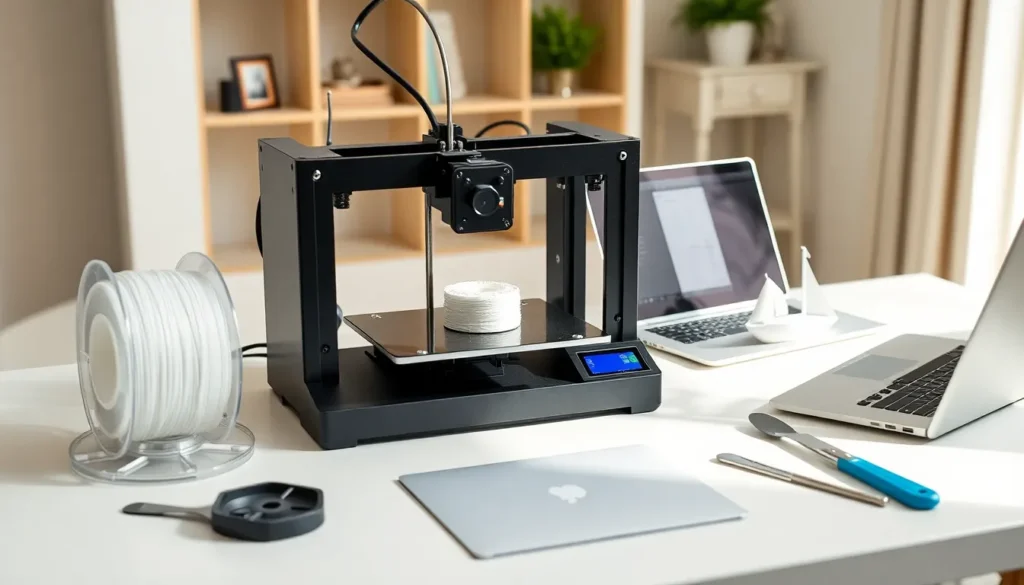

3D printing for beginners can feel overwhelming at first. There are machines, materials, and software options everywhere you look. But here’s the good news: getting started is simpler than most people think.
This guide breaks down everything new users need to know. It covers how the technology works, what printer to buy, which supplies matter, and how to complete a first successful print. By the end, readers will have a clear path from curious beginner to confident creator.
Table of Contents
ToggleKey Takeaways
- 3D printing for beginners is simpler than it seems—machines read digital files, heat material, and build objects layer by layer.
- FDM printers in the $200-$400 range offer the best value for beginners, with models like Creality Ender 3 and Anycubic Kobra providing strong community support.
- PLA filament is the ideal starting material because it prints at lower temperatures, resists warping, and produces minimal odor.
- Free slicing software like Cura or PrusaSlicer converts 3D models into printable files and works with most beginner printers.
- Proper bed leveling is the most critical skill for 3D printing beginners—poor leveling causes most first-print failures.
- Expect failed prints as part of the learning process, and start with simple test models like the 3DBenchy before attempting complex projects.
What Is 3D Printing and How Does It Work
3D printing creates physical objects from digital designs. A machine builds items layer by layer, adding material until the final shape forms. This process is called additive manufacturing.
The most common type for beginners is FDM (Fused Deposition Modeling). FDM printers heat plastic filament and push it through a nozzle. The nozzle moves across a build plate, depositing thin layers of melted plastic. Each layer cools and hardens before the next one goes on top.
Think of it like a very precise hot glue gun controlled by a computer. The printer follows instructions from a digital file, usually in a format called G-code. This file tells the machine exactly where to move and how much material to deposit.
Resin printers use a different approach. They cure liquid resin with UV light to form solid layers. Resin produces finer details but requires more cleanup and safety precautions. Most beginners start with FDM because it’s more forgiving and affordable.
3D printing for beginners becomes much easier once this basic concept clicks. The machine reads a file, heats material, and builds upward. That’s the core of it.
Choosing Your First 3D Printer
The first printer purchase matters, but it doesn’t need to be perfect. Budget-friendly options work well for learning the basics.
For 3D printing beginners, FDM printers in the $200-$400 range offer excellent value. Popular choices include the Creality Ender 3 series, Anycubic Kobra, and Elegoo Neptune. These models have large user communities, which means help is easy to find when problems arise.
Here’s what to consider when shopping:
- Build volume: This determines how large objects can be. A 220mm x 220mm x 250mm bed handles most beginner projects.
- Auto bed leveling: This feature saves time and frustration. Manual leveling works, but automatic systems make life easier.
- Print speed: Faster isn’t always better. Newer printers advertise high speeds, but quality often suffers. Standard speeds work fine for learning.
- Community support: A printer with active forums and YouTube tutorials helps beginners solve problems faster.
Avoid the cheapest options under $150. They often lack quality control and create more headaches than savings. Also skip professional-grade machines costing $1,000+. Those features won’t help someone learning fundamentals.
3D printing for beginners works best with a reliable mid-range printer. It should be simple to set up and well-documented online.
Essential Supplies and Materials You Need
Beyond the printer itself, a few essential supplies make 3D printing for beginners run smoothly.
Filament is the primary material. PLA (Polylactic Acid) is the best choice for new users. It prints at lower temperatures, doesn’t warp easily, and produces minimal odor. A 1kg spool costs $15-$25 and lasts through many projects. Start with a basic color like white or gray, they show details well and hide minor imperfections.
Bed adhesion helpers keep prints stuck during the build process. Options include:
- Painter’s tape (blue tape)
- Glue stick
- Specialized build surfaces like PEI sheets
Many modern printers come with textured build plates that grip PLA without extra help.
Basic tools make post-processing easier:
- Flush cutters for removing supports
- Spatula or scraper for removing prints from the bed
- Needle-nose pliers for detailed cleanup
- Sandpaper (various grits) for smoothing surfaces
Slicing software converts 3D models into printable G-code files. Cura and PrusaSlicer are free and work with most printers. These programs let users adjust layer height, print speed, supports, and dozens of other settings.
3D printing beginners don’t need expensive accessories. PLA filament, basic hand tools, and free software cover 90% of starting needs.
Your First Print: Step-by-Step Instructions
Time for the exciting part. Here’s how to complete a first 3D print successfully.
Step 1: Set up the printer
Follow the manufacturer’s assembly instructions. Most budget printers require 30-60 minutes of setup. Level the bed according to the manual, this step affects every print that follows.
Step 2: Install slicing software
Download Cura or PrusaSlicer. During setup, select the printer model from the list. The software will load appropriate default settings.
Step 3: Find a test model
Skip designing custom objects for now. Download a simple test file from Thingiverse or Printables. The classic “3DBenchy” boat is a popular choice because it tests multiple printer capabilities.
Step 4: Slice the model
Open the file in the slicer. For a first print, use these beginner-friendly settings:
- Layer height: 0.2mm
- Print speed: 50mm/s
- Infill: 20%
- Supports: Enable if the model has overhangs
Click “Slice” and save the G-code file to an SD card or send it directly to the printer.
Step 5: Start printing
Load filament into the printer. Insert the SD card and select the file. Watch the first few layers closely. If filament doesn’t stick or looks messy, stop and re-level the bed.
Step 6: Wait and remove
Most small prints take 1-3 hours. Once finished, let the bed cool before removing the object. PLA releases more easily from a cooled surface.
3D printing for beginners gets easier with each successful print. The first one teaches more than any guide ever could.
Common Beginner Mistakes and How to Avoid Them
Every 3D printing beginner makes mistakes. Knowing the common ones helps avoid wasted time and filament.
Poor bed leveling causes most first-print failures. If the nozzle sits too far from the bed, filament won’t stick. Too close, and it scrapes or clogs. Take time to level properly before each print session until the process becomes routine.
Wrong temperature settings create adhesion and quality problems. PLA prints best between 190-220°C for the nozzle and 50-60°C for the bed. Check filament packaging for recommended temperatures, brands vary.
Skipping supports ruins prints with overhangs. Any angle greater than 45 degrees from vertical needs support material. The slicer can generate these automatically. Yes, they use extra filament and require removal, but they prevent droopy, stringy disasters.
Impatience leads to damaged prints. Pulling objects off a hot bed warps both the print and the build surface. Stopping prints early because they “look wrong” wastes learning opportunities. Let things finish and analyze what happened.
Ignoring moisture degrades filament quality. PLA absorbs water from the air over time. Wet filament pops and sizzles during printing, leaving rough surfaces. Store spools in sealed bags with desiccant packets.
Overcomplicating early projects frustrates new users. Start with simple shapes and small objects. Build skills before attempting detailed figurines or functional parts.
3D printing beginners should expect failed prints. They’re part of the learning process. Each failure teaches something useful about the machine and material.


